A Better Way of Stretching Meshes in Unreal Engine
How I stretched pillar meshes to different heights in Unreal Engine without distorting them, using a 9-slice approach that keeps the aspect ratio intact.
The Problem
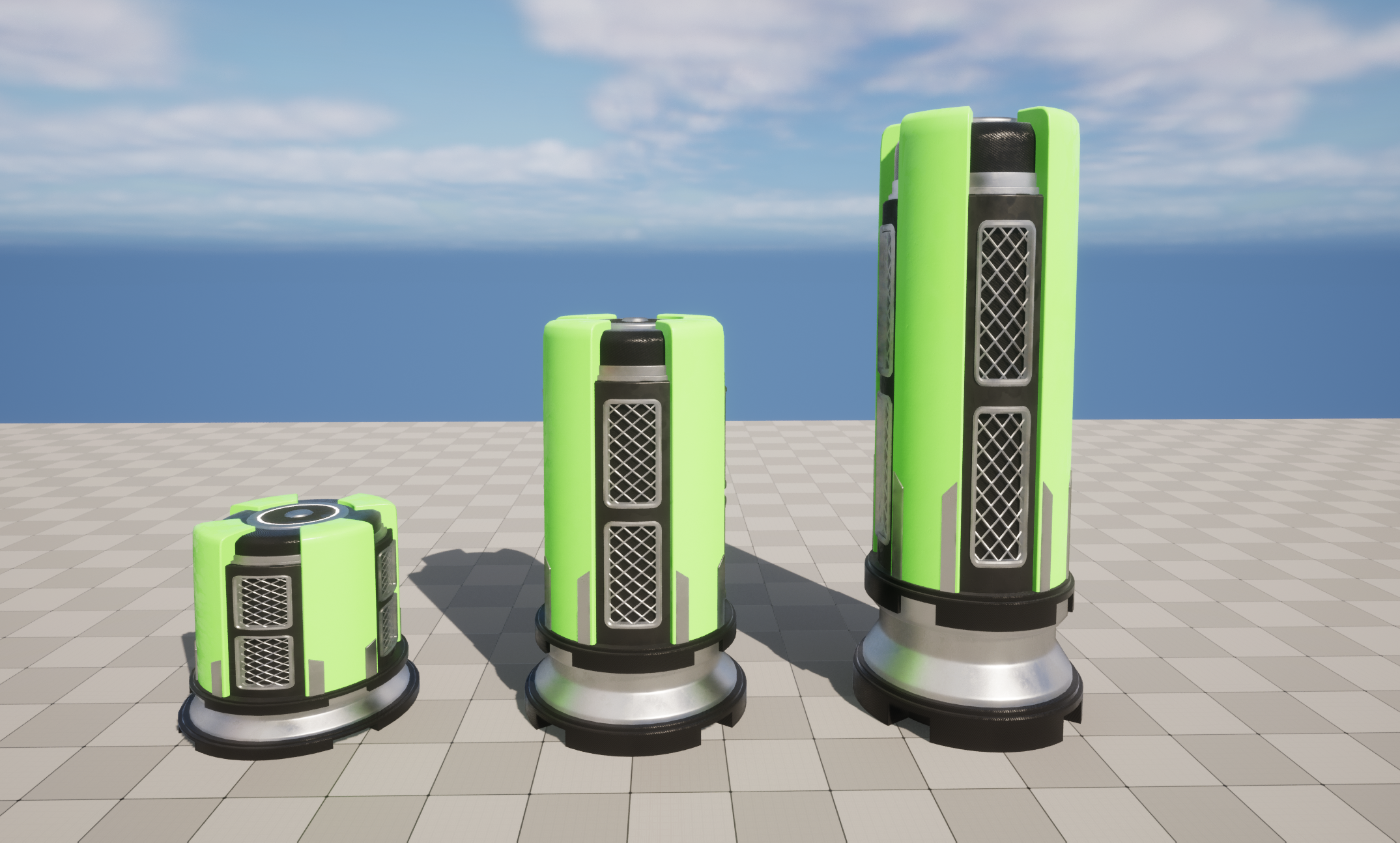
While working on my flappy bird remake (Rocket Robot), I came across a problem. The problem was that I needed to have pillars at different heights but I was using the same mesh for each pillar. This meant I needed to stretch the entire pillar in the Z axis to get an assortment of different heights.
9-Slice Scaling
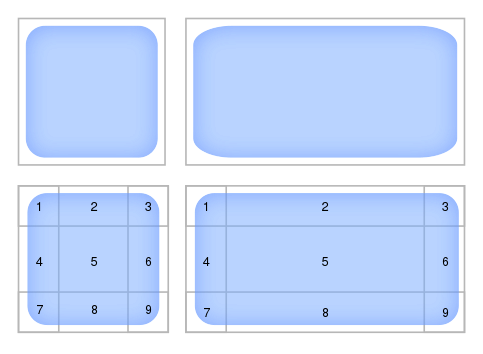
While working at one of my previous employers as a Game Developer, I was often working with UIs and buttons. This reminded me of a similar problem we had with the button texture not always coming out looking the same on different buttons. The solution to this was 9-slice scaling.
9-slice scaling is an image rescaling method where the 4 corners are kept in the same proportions while the middle sections are scaled. This helps keep those rounded edges no matter the size of the image.
Solution
This gave me the idea for my solution. Unfortunately, in Unreal Engine you can’t scale parts of the Static Mesh, or at least I don’t know of any ways to achieve this. My method involved cutting my mesh into 3 separate sections: a top, middle and bottom.
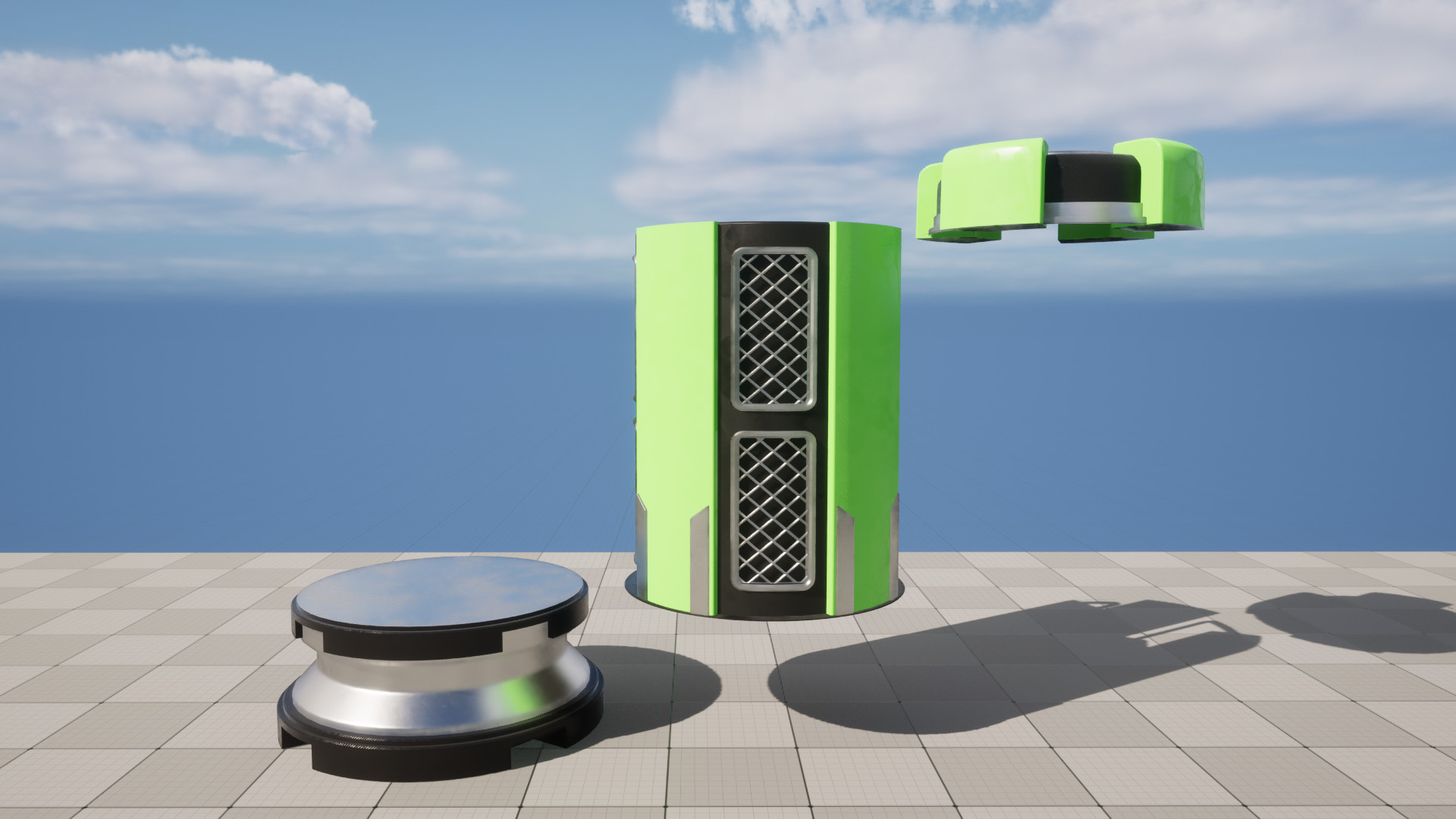
I then created an Actor that took the three meshes and positioned them together so it looked like there were no splits in the mesh. I then wrote code that would change the scale of the middle section and keep the top piece at the correct height.
The scale of the middle section was worked out backwards. I would get a random pillar height (within a range), subtract the top height and bottom height. Taking the current middle height, divide it by the remaining height and that gave me the scale that was needed.
	float TopMeshHeight = MeshTopSize.Z;
	float BottomMeshHeight = MeshBottomSize.Z;
	float MiddleMeshHeight = MeshMiddleSize.Z;
	float MiddleMeshNewHeight = (PillarTotalHeight) - (TopMeshHeight + BottomMeshHeight);

	float UpdatedScale = MiddleMeshNewHeight / MiddleMeshHeight;
	MiddlePillarSize = FVector(MiddlePillarSize.X, MiddlePillarSize.Y, UpdatedScale);
Conclusion
Obviously the middle section is stretched, but the top and bottom sections keep their ratios which was perfect for my use case. This could still be improved on by taking a smaller section that would scale better or using a mesh that wouldn’t be as noticeable when stretched.

Ultimately I was happy with this solution and thought I would share the idea. Maybe it will give someone else an idea.