Unreal Engine 5 Notes: C++, Stat Commands and Shortcuts
My running Unreal Engine 5 notes: forward declaring, casting, UCLASS and UPROPERTY macros, spawning actors, delegates, stat commands and editor shortcuts.
C++
Unreal Engine programming is done with C++, therefore it is important to have some C++ notes. I found the C++ Cheat Sheet from Hackr.io is a great start.
Ari's Unreal Engine Notes
If you haven't heard about Ari, Ari is an Evangelist at Epic Games. He is EPIC ;-) (See what I did there?) Ari has a set of notes for Unreal Engine and is where I got the idea to start making my own set.
Make sure to also check out Ari's website https://ari.games. He has a wealth of industry knowledge and his videos are always full of passion and enthusiasm!
Sylar's Unreal Engine Notes
Below you will find all my notes that I have made along my way. Just as Ari did for me, I would like to encourage you to make your own notes!
Root Component
Every class that inherits from Actor has a Root component already set up called RootComponent Items can be attached to this by calling
BaseMesh->SetupAttachment(RootComponent);
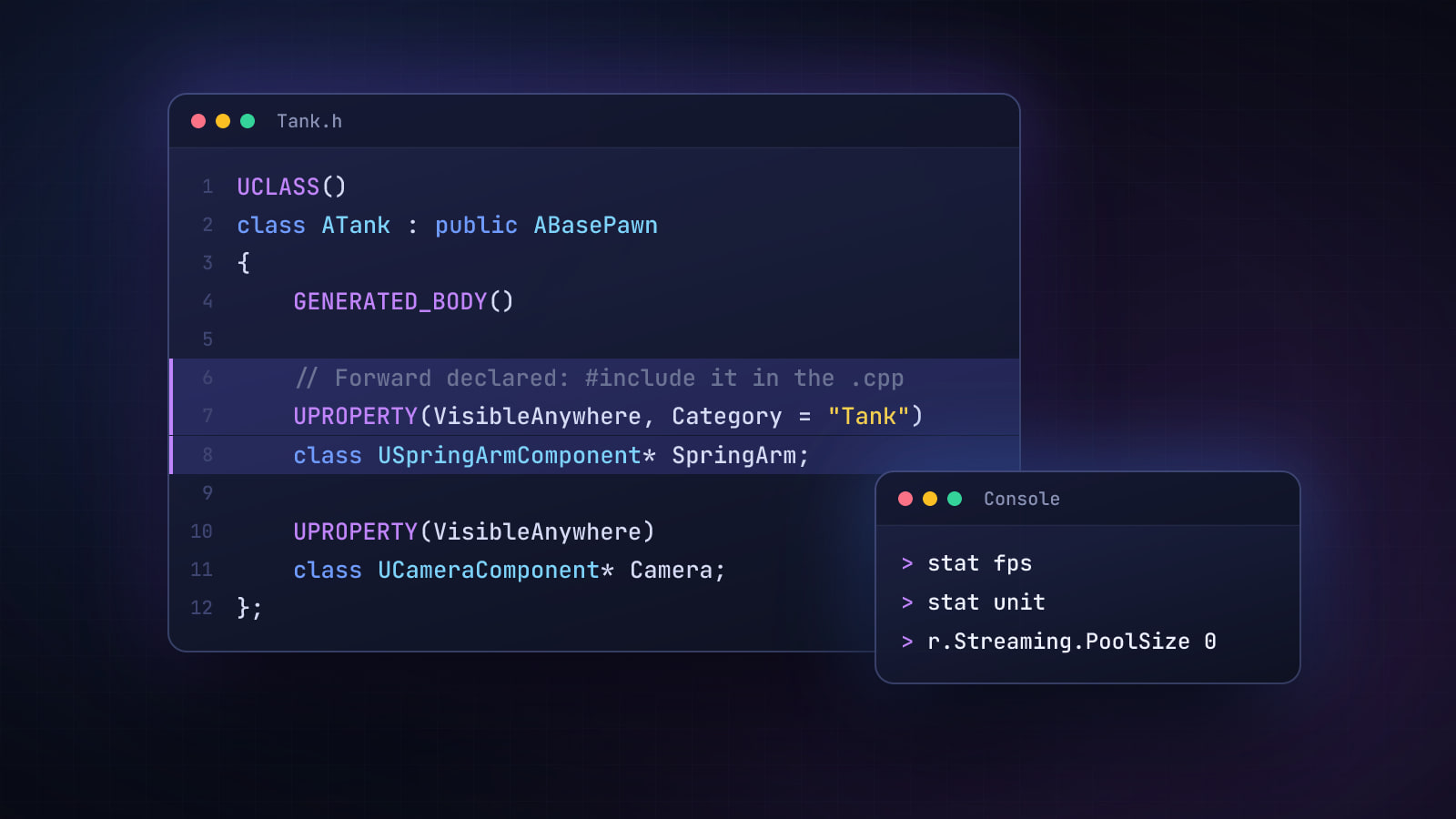
Forward Declaring
In the .h file, you forward declare by using the class specifier.
class USpringArmComponent* SpringArm;
Forward declaring is a way of telling the compiler about a class or function without including its header file. You want to do this for two reasons: to prevent circular dependencies and to reduce compile times. Circular dependencies are when you have Class A that depends on Class B, Class B that depends on Class A and the compiler may not be able to compile the code as it can get stuck trying to always include the other file. Forward declaring is to reduce compile times and the overall header file size. For more information, have a look at the excellent video by Mike Stevanovic Unreal Engine C++ Guide - Forward Declarations
Casting
Casting is when you need to convert a data type from one type to another. Essentially, you have an object, but you want to call a function on its base object (The object it was derived from).
ATank* Tank;
Tank = Cast<ATank>(UGameplayStatics::GetPlayerPawn(this, 0));
Unreal Engine C++: Macros and Reflection System
UCLASS() is a macro that declares the class as a UObject-derived class.
GENERATED_BODY() generates the necessary boilerplate code for the reflection system.
UPROPERTY(...) is a macro that declares a property with various attributes, making it visible in the UE4 editor and usable in Blueprints.
UFUNCTION(...) is a macro that declares a function with various attributes, making it callable from Blueprints.
UPROPERTY Macro
When working with variables inside C++ header files: If you want a variable to be declared during the Constructor and keep its variable for use later on, make sure to give it the UPROPERTY Macro.
Spawning and attaching an Actor to another Actor
    UPROPERTY(EditDefaultsOnly, Category = "Window Scenes")
    TSubclassOf<class AWindowActor> WindowActors_ThreeBots;

    UPROPERTY()
    AWindowActor* CurrentWindowActor;
// Spawn the actor
CurrentWindowActor = (AWindowActor*) GetWorld()->SpawnActor(WindowActors_ThreeBots);

// Attach to Actor Root
CurrentWindowActor->AttachToComponent(Root, FAttachmentTransformRules::KeepWorldTransform);
The AWindowActor is the C++ class, and WindowActors_ThreeBots is the BP class derived from the C++ class. Make sure in the BP Class that DefaultSceneRoot is set to Movable!
AttachToComponent returns a bool value. This is useful for checking that the attach was successful.
Alternatively, make sure to set DefaultSceneRoot to moveable in the constructor:
    // Get the DefaultSceneRoot component of the child actor
    USceneComponent* DefaultSceneRoot = ChildActor->GetRootComponent();


    // Set the mobility of the DefaultSceneRoot to movable
    DefaultSceneRoot->SetMobility(EComponentMobility::Movable);
Characteristics of Delegates
- Type-Safety: Delegates are type-safe, meaning that they can only reference functions that have a matching function signature (i.e., the same parameters and return type).
- Parameters: Delegates can have parameters, allowing you to pass data to the functions they call.
- Binding: You "bind" a function to a delegate, associating that function with the delegate so that it will be called when the delegate is executed.
- Multicast Delegates: These are special kinds of delegates that can have multiple functions bound to them, calling all bound functions when the delegate is executed.
Texture Streaming Pool Over Budget
- Open the console in Unreal Engine
- Type
r.Streaming.PoolSize 0This will set the streaming pool size to use all available VRAM. Alternatively, you can set it to a specific number such as 8000 (the number is in MB).
Profiling
- Unreal Insights - Used for CPU
- GPU Visualizer - Used for GPU
Stat Commands
| What it shows | Command |
|---|---|
| Frame rate | stat fps |
| Frame, game, draw and GPU times | stat unit |
| Temporal Super Resolution: TSR feed (pixels per second fed into TSR) and TSR 12spp (convergence rate) | stat tsr |
| GPU statistics | stat gpu |
Stat Unit
- UI: Hamburger -> Stat -> Engine -> Unit
- Console:
stat unit
Shortcuts
| Action | Shortcut |
|---|---|
| Open CPU profiling | Ctrl + Shift + , |
| Show FPS (stat fps) | Ctrl + Shift + H |
| Search for files (BP_Building) or types (Static Mesh) | Ctrl + P |
| Open the Content Drawer | Ctrl + Space |
| Open GPU Visualizer | Ctrl + Shift + , |
Blueprints
| Action | Shortcut |
|---|---|
| Straighten | Q |
| Left | Shift + A |
| Right | Shift + D |
| Top | Shift + W |
| Bottom | Shift + S |
| Centre | ALT + Shift + S |
| Middle | ALT + Shift + W |